Shapes and Schemes
PowerPoint Shape Types
The library ships every built-in PowerPoint shape — over 180 of them (rectangles, ovals, arrows, callouts,
stars, connectors, and more), originally provided by the officegen project.
Shapes are enumerated on the instance as pptx.ShapeType; editor autocompletion on this enum is the fastest
way to discover the available shapes. The complete enum is also defined in
index.d.ts.
Add a shape with slide.addShape(type, options). The options control fill, line, and position:
See Shapes API for the full list of shape options.
PowerPoint Scheme Colors
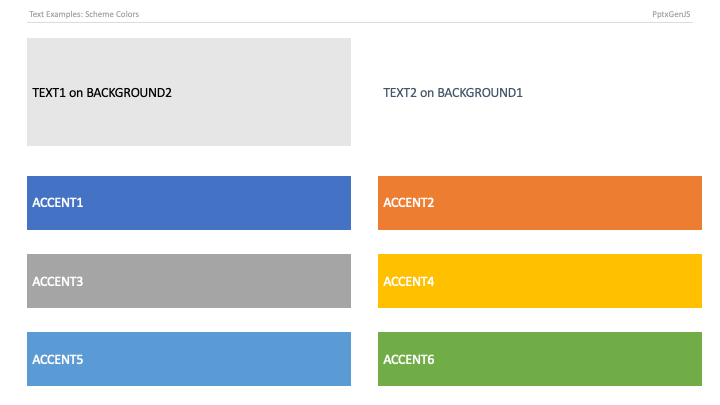
A scheme color is a reference to a slot in the presentation's theme rather than a fixed hex value. When a viewer switches the theme (or you apply a different template), everything painted with a scheme color updates automatically — so text stays readable against backgrounds and the deck keeps a consistent palette. Prefer scheme colors over hardcoded hex when you want a deck to adapt to corporate templates.
The ten slots map to PowerPoint's theme: two text colors, two background colors, and six accents. Reference
them through pptx.SchemeColor; the complete enum is in
index.d.ts.