For AI agents: the complete documentation index is available at /pptxgenjs-plus/llms.txt, the full documentation bundle is available at /pptxgenjs-plus/llms-full.txt, and this page is available as Markdown at /pptxgenjs-plus/api-media.md.

Media

Media enables the addition of audio, video, and online video to Slides.

Usage

// Path: full or relative
slide.addMedia({ type: "video", path: "https://example.com/media/sample.mov" });
slide.addMedia({ type: "video", path: "../media/sample.mov" });

// Base64: pre-encoded string
slide.addMedia({ type: "audio", data: "audio/mp3;base64,iVtDafDrBF[...]=" });

// YouTube: Online video (supported in Microsoft 365)
slide.addMedia({ type: "online", link: "https://www.youtube.com/embed/Dph6ynRVyUc" });

Usage Notes

Either provide a URL location or base64 data along with type to create media.

  • type - type: media type
  • path - URL: relative or full
  • data - base64: string representing an encoded image

Supported Formats and Notes

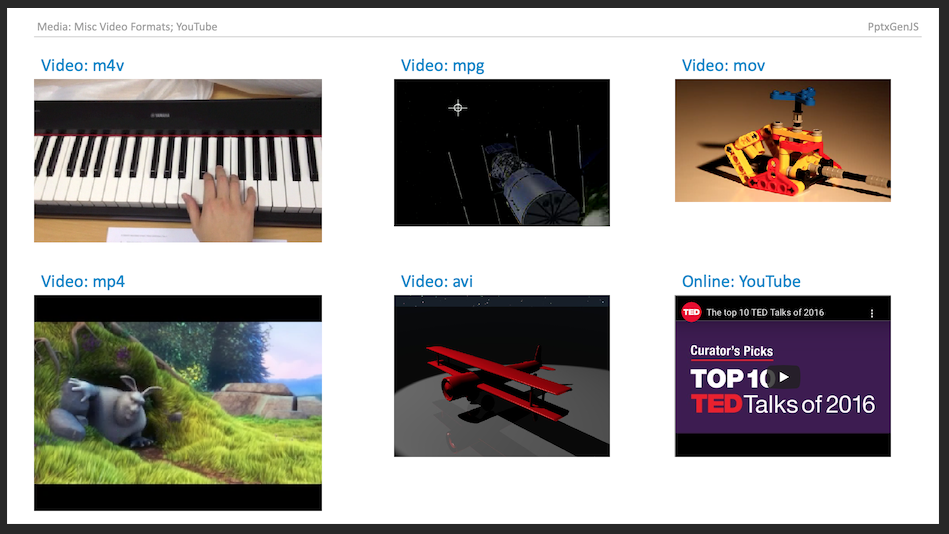
  • Video (mpg, mov, mp4, m4v, et al.); Audio (mp3, wav, et al.); (see Video and Audio file formats supported in PowerPoint)
  • YouTube videos can be viewed using Microsoft 365/Office 365 (they may show errors on older desktop PowerPoint versions)
  • Other online video sites may be supported as well (users have reported non-YouTube sites that worked)
  • Not all platforms support all formats. For example, macOS can play MPG files while Windows typically cannot, and AVI support varies by codec. Verify playback on the target platform before distributing a presentation.

Properties

Position/Size Props (PositionProps)

OptionTypeDefaultDescriptionPossible Values
xnumber1.0hor location (inches)0-n
xstringhor location (percent)'n%'. (Ex: {x:'50%'} middle of the Slide)
ynumber1.0ver location (inches)0-n
ystringver location (percent)'n%'. (Ex: {y:'50%'} middle of the Slide)
wnumber1.0width (inches)0-n
wstringwidth (percent)'n%'. (Ex: {w:'50%'} 50% the Slide width)
hnumber1.0height (inches)0-n
hstringheight (percent)'n%'. (Ex: {h:'50%'} 50% the Slide height)

Data/Path Props (DataOrPathProps)

OptionTypeDescriptionPossible Values
datastringimage data (base64)(data or path is required) base64-encoded image string.
pathstringimage path(data or path is required) relative or full URL

Media Props (MediaProps)

OptionTypeDescriptionPossible Values
typestringmedia typemedia type: audio or video (reqs: data or path) or online (reqs:link)
coverstringcover imagebase64 encoded string of cover image
extnstringmedia extensionuse when the media file path does not already have an extension, ex: "/folder/SomeSong"
linkstringvideo URL(YouTube only): link to online video

Example

Media Examples